Most of the AI conversation in construction right now sits with the operations team. Scheduling. Field data. Project management. Useful, but it’s missing the people who probably have the most to gain: the finance leaders running the back office. AI for construction finance is where the biggest, least-talked-about gains are.
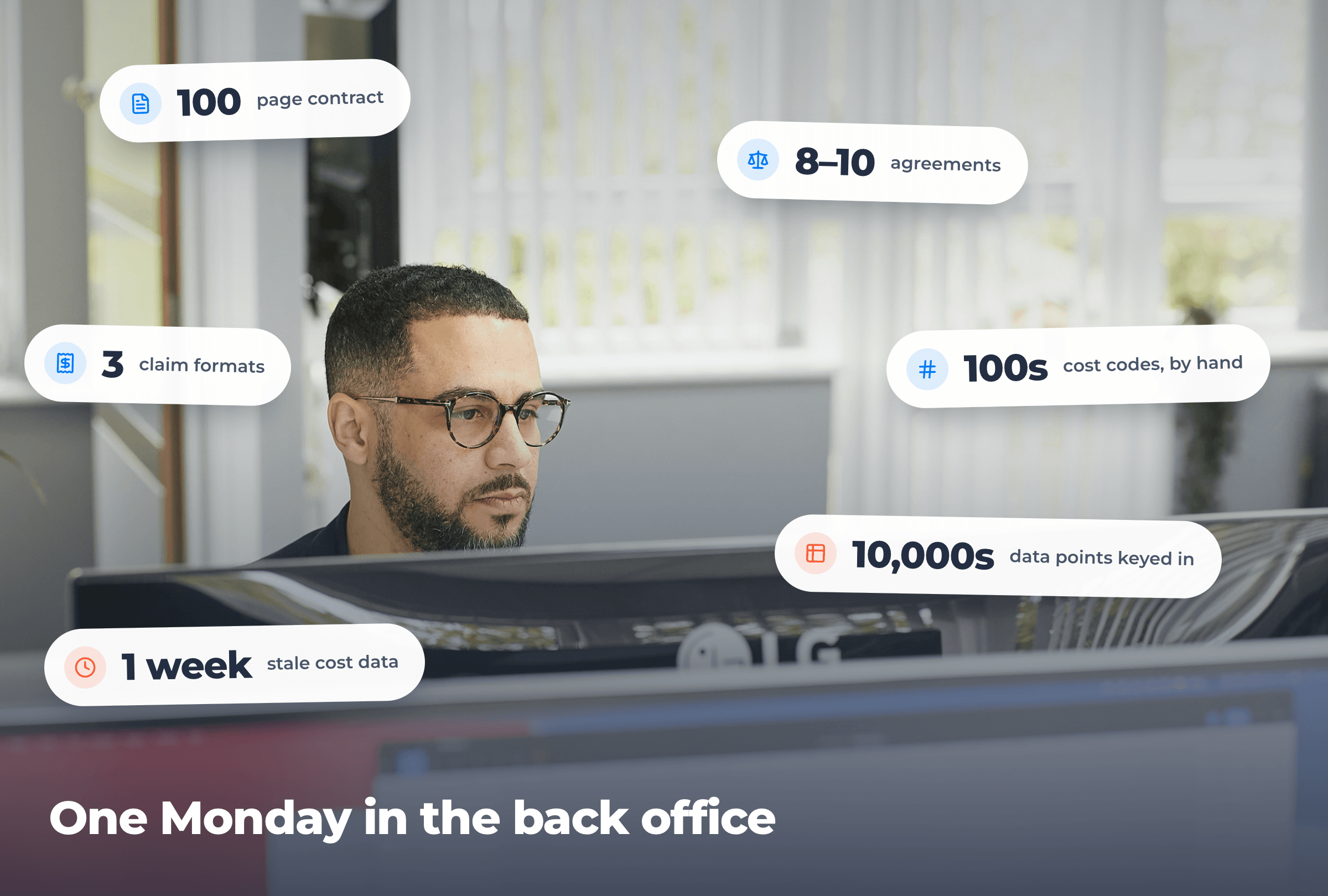
I spend a lot of my time talking to construction CFOs, controllers, and finance directors. Their reality looks something like this: a hundred-page head contract has just landed in their inbox and someone needs to find the risk buried in it, eight or ten different agreements need interpreting before this week’s pay run, progress claims are due against three different client formats, someone is coding and allocating job costs by hand across hundreds of cost codes, and the finance and cost control teams are keying tens of thousands of data points into a spreadsheet; all while project managers wait on cost data that’s already at least a week stale. AI isn’t a “nice to have” in this world. It’s a lever big enough to change how the back office actually runs.
Here’s where I’m seeing finance teams in construction get real results with AI today, and what to think about before you roll it out.
Contract reviews in minutes, not days
This is the use case I hear about most from finance leaders, and it’s the one with the most immediate ROI.
Head contracts in construction are long. They’re dense. And like all contracts, they’re written in language designed to favour the party who first drafted them. And every clause in them has financial consequences for you — payment terms, retentions, security, variation processes, defects liability, indemnity, set-off, the lot.
Traditionally, those contracts go to a lawyer, take a week to come back, and the marked-up version costs you several thousand dollars. That’s still appropriate for the highest-stakes work. But there’s a layer of review that should happen before it ever gets to your lawyer, and that’s where AI is changing the economics.
Here’s how the contractors we work with are using it:
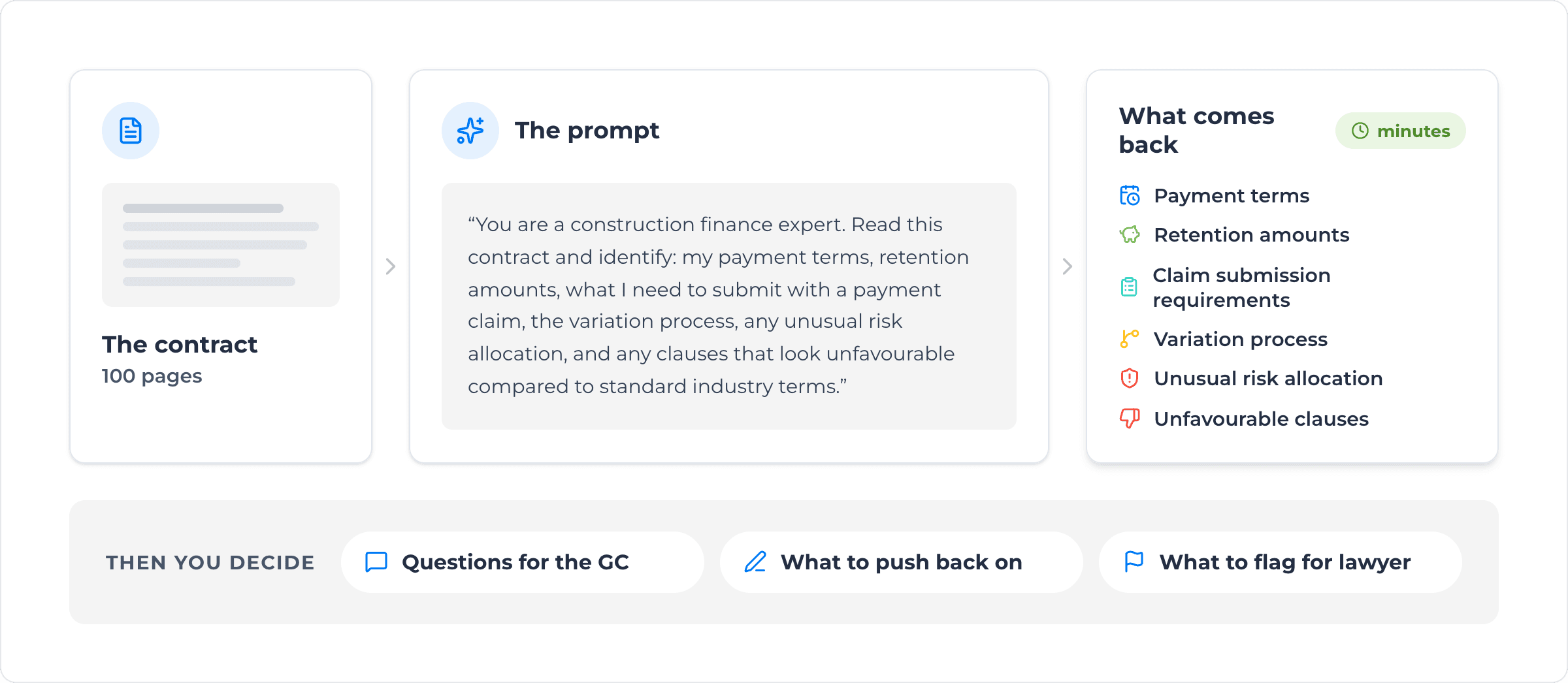
- They load the contract into an agentic AI tool (Claude, ChatGPT, or similar) with the contract terms.
- Then they prompt: “You are a construction finance expert. Read this contract and identify: my payment terms, retention amounts, what I need to submit with a payment claim, the variation process, any unusual risk allocation, and any clauses that look unfavourable compared to standard industry terms.”
- Within minutes, they get a structured summary back.
- They use that summary to decide what questions to ask the GC, what to push back on before signing, and what to flag for their lawyer’s deeper review.
The AI isn’t replacing your lawyer. It’s making sure the questions you bring to your lawyer are the right ones — and that you’ve already done the cheap work yourself, fast.
The added benefit: modern AI tools have memory now. Over time, the AI learns your business — your standard terms, your risk appetite, your preferred contract clauses — and reviews get sharper with each contract you put through it.
Agreement interpretation without the headaches
For any construction business with workers on enterprise agreements, this is the use case that pays for itself in a single pay run.
Agreements are long, layered, and unforgiving. Get them wrong and you’re either underpaying (a compliance issue) or overpaying (a margin issue). Shay, a director at our customer KPI, summed it up at our Build Better Melbourne event. KPI runs around a thousand workers nationally across eight to ten different agreements. Her words on AI: “They’re quite long, and so AI definitely helps us interpret a lot of that information.”
A few practical applications:
Rule extraction
Load the agreement into an AI tool and ask it to extract all the conditions that affect pay calculation — base rates, overtime rules, allowances, PPE provisions, RDOs, leave entitlements. Get them in a structured table.
Scenario testing
“If a worker is classified as a Grade 4 carpenter, works 50 hours in the week including a Saturday shift and 4 on a public holiday on the Sunday, what’s their entitled gross pay under the relevant pay agreement?” The AI walks through the calculation showing its work. You verify against your payroll system.
Multi-Agreement comparison
If you’ve got workers spread across multiple agreements (different states, different sites, different unions), AI is exceptional at side-by-side comparison. “How does the overtime threshold differ between agreement A and agreement B?” You get the answer in seconds, not after an hour of cross-referencing PDFs.
The point isn’t to remove the human reviewer from this process — payroll compliance is too consequential for that. The point is to give your payroll and finance team a tool that does the heavy lifting on interpretation, so they can spend their time on judgement calls instead of reading and referring to a 200 page agreement.
Payment terms, payment claims, and getting paid faster
In construction, cash flow is everything. The faster you can issue an accurate payment claim, the faster you get paid. AI helps in two ways here.
Knowing what you’re entitled to
Once an AI tool has read your head contract (see above), it knows your payment terms and milestones, what’s claimable and when, what documentation needs to accompany the claim, and what timeline you’re working with. When you’re preparing the claim, you can ask it directly: “What do I need to submit with this month’s claim under this contract?” No more digging through the contract on the day of submission.
Drafting the claim itself
Pull your project data, costs incurred, percentage complete, and variations/change orders into the AI. Have it draft the payment claim narrative — the part that explains the work, justifies the variations, references the relevant clauses in the contract. Your team reviews and finalises. The slowest, most manual part of the process gets accelerated.
This is the same logic on the supplier side. AI can read supplier invoices, check them against POs and delivery tickets/dockets, flag discrepancies, and queue clean invoices for approval. The back office stops being a bottleneck on cash movement.
Eliminating payroll data entry
This is the one finance leaders care about most because it’s the most painful day-to-day reality of the role.
KPI’s team — eight people nationally working on payroll and invoicing — keys in tens of thousands of data points per week. That’s not unusual for a labour hire or specialised contractor at scale. Every paper docket/ticket, every emailed timesheet, every text message of hours has to be transcribed, classified, mapped to a cost code, mapped to a pay and charge rate, and pushed into payroll and payment application/invoice.
The two-pronged AI play here:
1. Capture data at the source, in structured form
This is what Assignar Pay’s Field module is designed to do — digital dockets/tickets, timesheets, and forms that flow straight into payroll and invoicing without ever touching a spreadsheet. The data is structured from the moment a worker submits it. There’s nothing to transcribe.
2. Use AI to interpret and reconcile what’s left
For the dockets/tickets and timesheets that still come in unstructured (a photo, a PDF, an email with hours in the body), AI can read them, extract the data, map it against your cost codes and pay rates, and queue it for review. Your team validates rather than transcribes.
The combined result is a back office that scales without scaling headcount. Whether you grow from 50 to 500 workers, or from 500 to 1,500, the data-entry load doesn’t move in lockstep with the workforce.
Reporting that you can actually talk to
The final use case is one that flies under the radar but is changing how finance leaders interact with their own data.
Traditional BI tools — Insights, Looker, Power BI — are powerful, but they’re rigid. Once a report is built, changing it usually means a request to your business analyst or vendor. Custom calculations are slow and not always complete. Filters are limited. The dashboard essentially freezes, and you adjust it by hand after each run.
Agentic AI tools change that. You can pull live data out of your operations or pay platform via API, hand it to an AI, and have it generate an interactive dashboard in minutes — utilisation, overtime flags, expired certs, at-risk KPIs, whatever you ask for. The difference is that the dashboard is now a live document you can talk to.
“Now group this by site.”
“Add a column showing margin by cost code.”
“Filter to only the last 30 days.”
“Highlight any worker whose utilisation has dropped more than 20% week-on-week.”
The AI rebuilds the view on the fly. What used to be a two-week BI request becomes a two-minute conversation. For finance leaders who’ve spent years being told “that change is on the roadmap,” it’s a different operating model entirely.

The data privacy question (because it’s the right question)
Every finance leader I talk to asks the same question first: what happens to my data?
You’re carrying sensitive worker information, confidential client agreements, signed NDAs, financials. None of it should end up in a public AI model’s training data. The answer is straightforward but worth doing properly:
- Use a business or enterprise account with whichever AI provider you choose. Business plans let you opt out of training data use. Personal plans typically don’t.
- Get your legal and compliance teams to review the vendor contract before rollout. We did before deploying AI internally at Assignar. It’s a standard procurement step.
- Scope what the AI can access. Give it a folder, not your whole file system. Give it one inbox, not all of them. Treat it like a new hire on day one — trusted, but supervised.
- Keep humans in the loop on anything externally facing. Contracts, payment claims, customer-facing payroll communications — review before send.
The big AI vendors (Anthropic, OpenAI) have enterprise-grade controls. The risk is manageable when handled deliberately.
The mindset for AI for construction finance
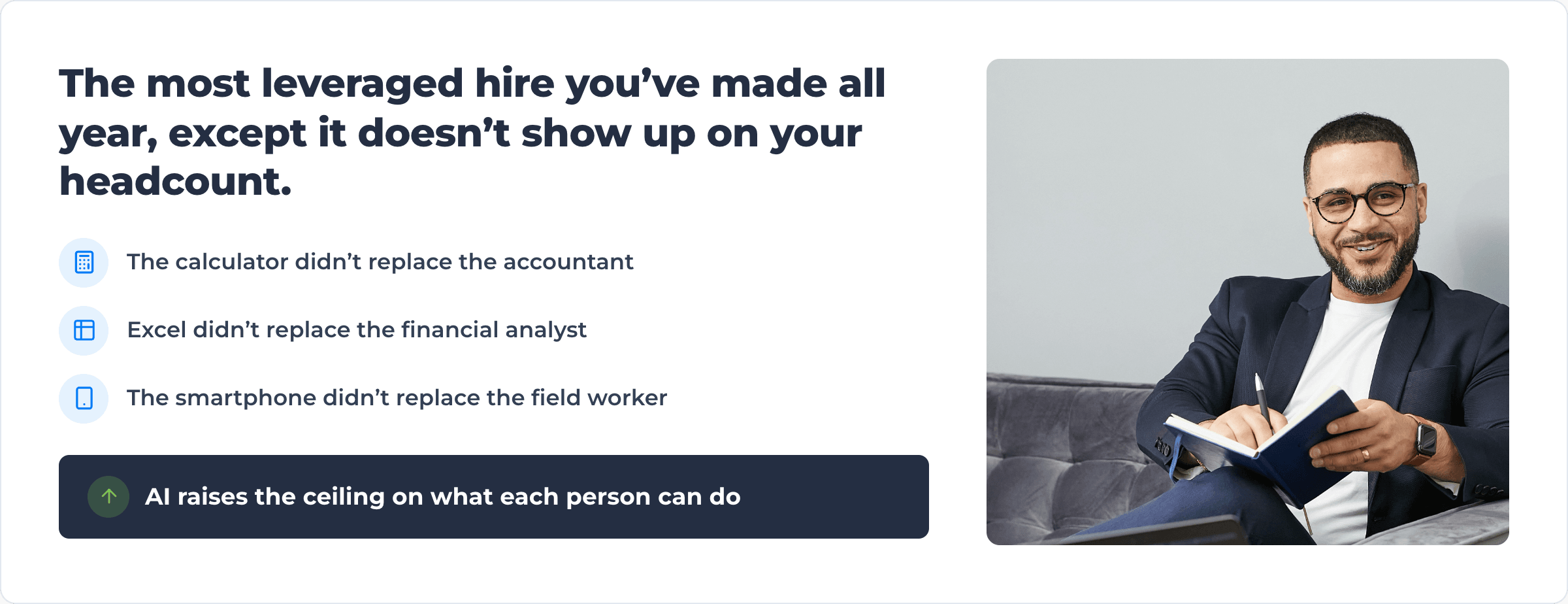
The framing I keep coming back to with finance leaders: AI is the most leveraged hire you’ve made all year, except it doesn’t show up on your headcount.
You’re not replacing your payroll or finance team members. You’re giving them a tool that absorbs the manual, repetitive parts of their job — the data entry, the document review, the interpretation of dense legal text — and frees them up for the work that actually requires judgement. The same way the calculator didn’t replace the accountant. Excel didn’t replace the financial analyst. The smartphone didn’t replace the field worker. AI raises the ceiling on what each person on your team can do.
If you’re a CFO or controller in construction and you’ve been waiting for “the right time” to dig into AI — the right time is now. The contractors who get there first will run leaner back offices, get paid faster, and have better data on their own business than anyone else in the bid.
Where Assignar fits into AI for construction finance
We’ve built Assignar Pay specifically for construction finance teams — payroll that handles complex agreements, contract reviews that surface risk in minutes instead of days, progress claims and invoicing supported by your operations data, and job costing that stays current because it’s connected to what’s actually happening in the field. Assignar Pay connects the field to your ERP so you know whether a job will make money, bid the next one better, and keep your ERP as the system of record. The AI isn’t bolted on; it’s embedded directly in the platform to handle the heavy interpretive work. KPI is one of dozens of contractors who’ve made the move.
If you want to see what AI-native construction payroll and invoicing looks like, book a demo of Assignar. We’ll walk you through how it works with your data and what the AI capabilities can do for your team and your bottom line.
The back office shouldn’t be the bottleneck on your growth. It doesn’t have to be.
Sean McCreanor is the CEO and co-founder of Assignar, a construction operations and financials platform used by contractors across Australia, New Zealand, and North America.