If your idea of using AI in your construction business is typing a question into ChatGPT and copying the answer into an email, you’re using maybe 5% of what agentic AI for construction can actually do.
The shift in the last twelve months hasn’t been smarter chatbots. It’s been the arrival of agentic AI — AI that doesn’t just answer questions, it does work. It opens your browser. Reads your inbox. Builds forms. Generates dashboards. It runs in the background while you’re on a job site, and reports back when it’s done.
In fact, the contractors I talk to who are getting real value out of AI in 2026 aren’t always more technical than you are. They’ve just made one mindset shift, and they started with one workflow. Here’s how to do the same.
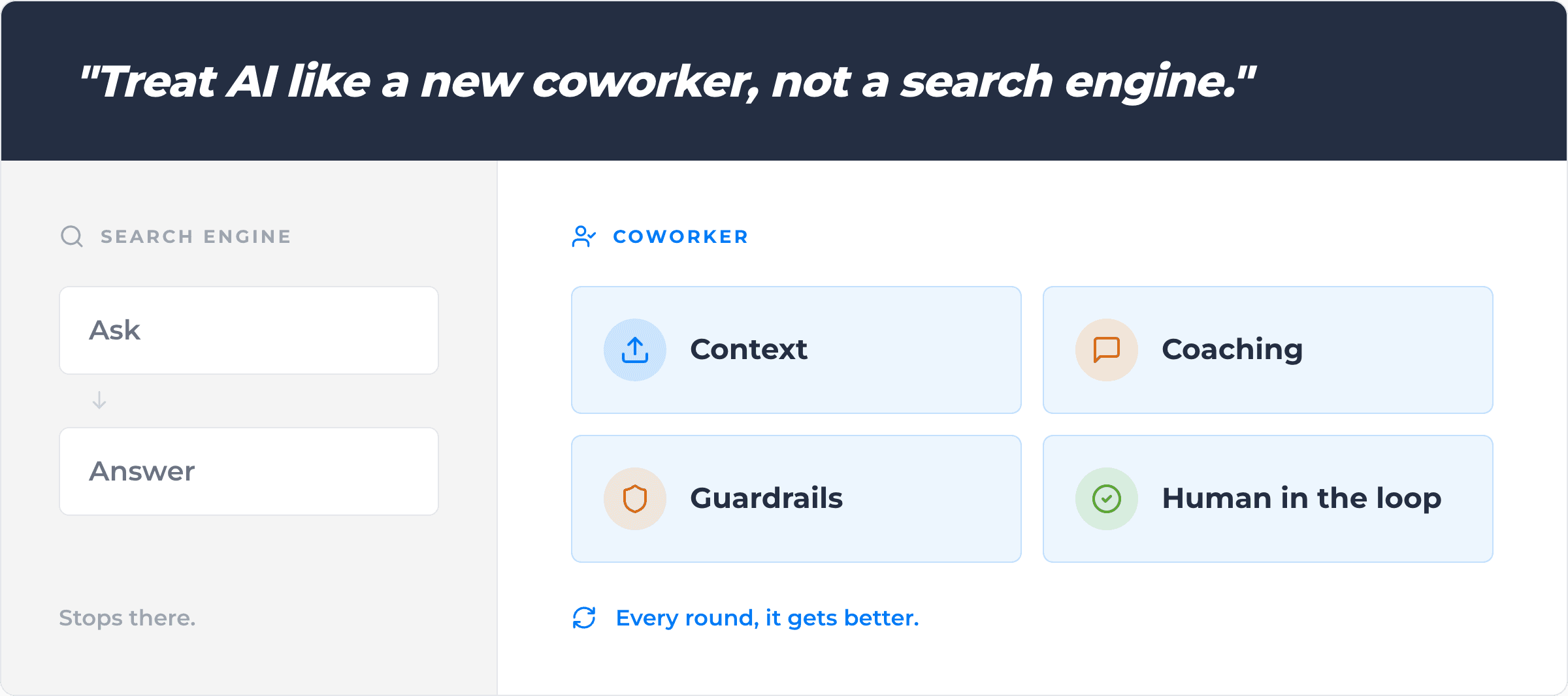
The mindset shift: treat AI like a new coworker, not a search engine
This is the single most important change in how you think about AI.
Most people use AI like Google with a personality. They type a question, get an answer, and move on. That’s fine, but it’s the same value you’d get from a smart graduate searching the web for you — useful, but limited.
The contractors getting real leverage are using AI the way they’d use a new hire on day one. They onboard it. They show it how the business works, give it specific tasks, and review what it produces. They give feedback, and it gets better.
A few things that come with that mindset:
- It needs context. Don’t expect AI to know your business. Tell it. Upload your handbook, contracts, your schedule of rates, your bargaining agreements, your standard form templates. The more context it has, the better it performs.
- It needs coaching. The first output won’t be perfect. Tell it what you’d change. It learns.
- It needs guardrails. Give it access only to the folders and tools it needs. Use a business plan, not a personal one. Get your legal team to review the contract. (More on this below.)
- It needs a human in the loop. For anything that matters — quotes that go to customers, payroll that goes to workers, contracts that go to head contractors — review before you send. AI is fast. It’s not infallible.
Once that mindset clicks, agentic AI stops feeling like a gimmick and starts feeling like leverage.
Step 1: List what you do manually every week
This is the exercise we’ve challenged our own team at Assignar to do, and it’s the most useful starting point I can recommend.
Write down everything you, or someone in your back office, does manually every week. Not the strategic work. The repetitive, click-around-a-system, copy-paste, ploughing-through-a-document kind of work.
A starter list to prompt you:
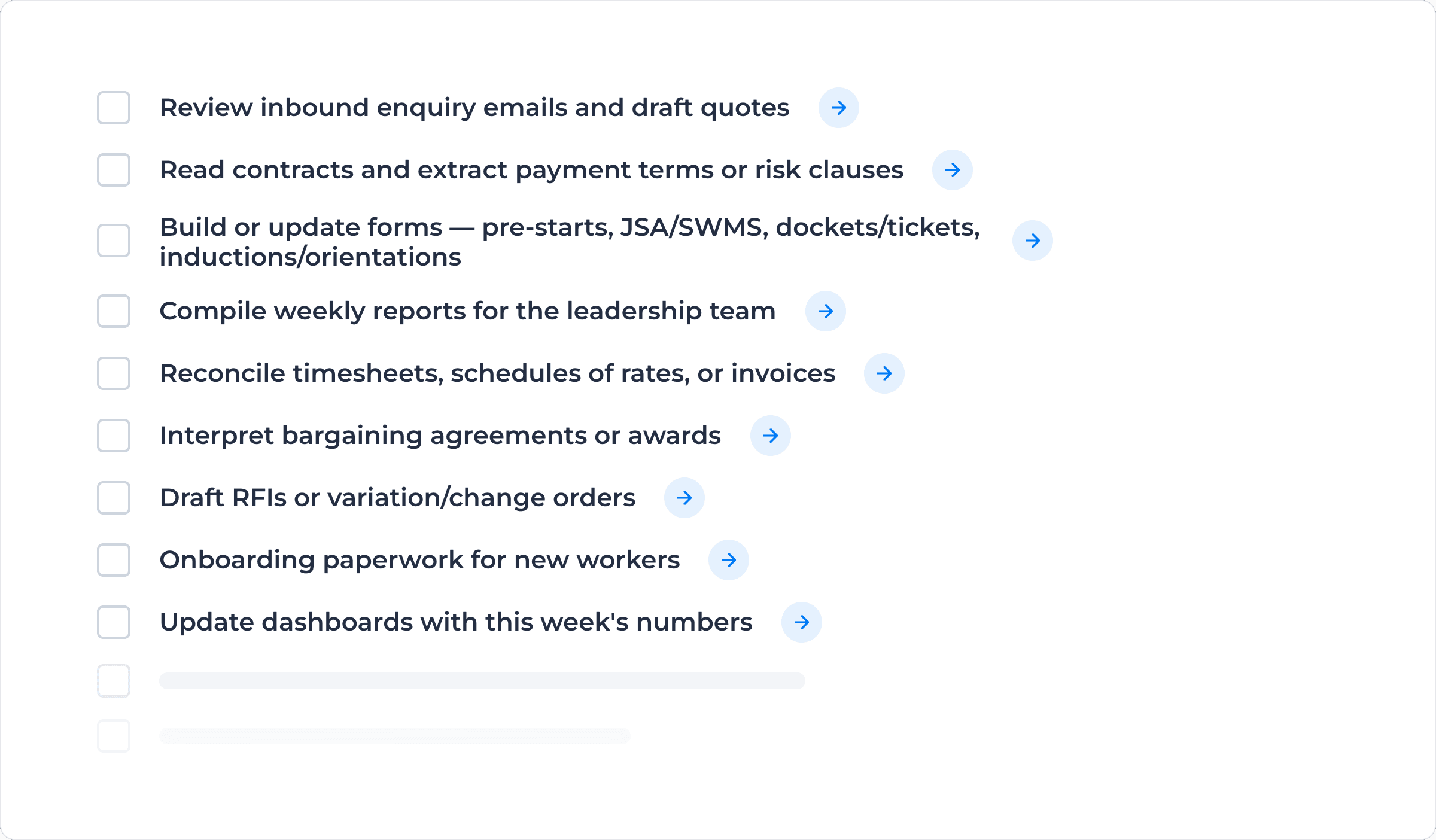
That list is your roadmap. Every line on it is a candidate for AI to take a real swing at.
Step 2: Pick an agentic AI tool (and use a business account)
For most construction operators starting out, I’d recommend one of the big agentic AI platforms—Claude (from Anthropic) is what we use internally at Assignar. ChatGPT (from OpenAI) is the other obvious choice. Both have business plans starting around $20 per user per month, and stepping up to around $100 a month should give you enough capacity that you’ll struggle to hit the ceiling unless you’re running multiple agents in parallel.
A few non-negotiables when you set this up:
Ultimately, this is the same hygiene you’d apply to a contractor coming into your office for the first week. Trusted, but not unsupervised.
Step 3: Start with one workflow. Get good at it.
Don’t try to AI-ify your whole business in week one. Pick one workflow from your manual list and run it end-to-end. Get the wins. Then add the next one.
Three workflows that work well as a starting point for agentic AI for construction:
The pattern across all three: you describe the outcome in plain English. The AI handles the execution. You stay in the loop on quality and approval.
Step 4: Onboard your AI like an employee
Once you’ve picked a workflow, treat the setup like onboarding a new hire.
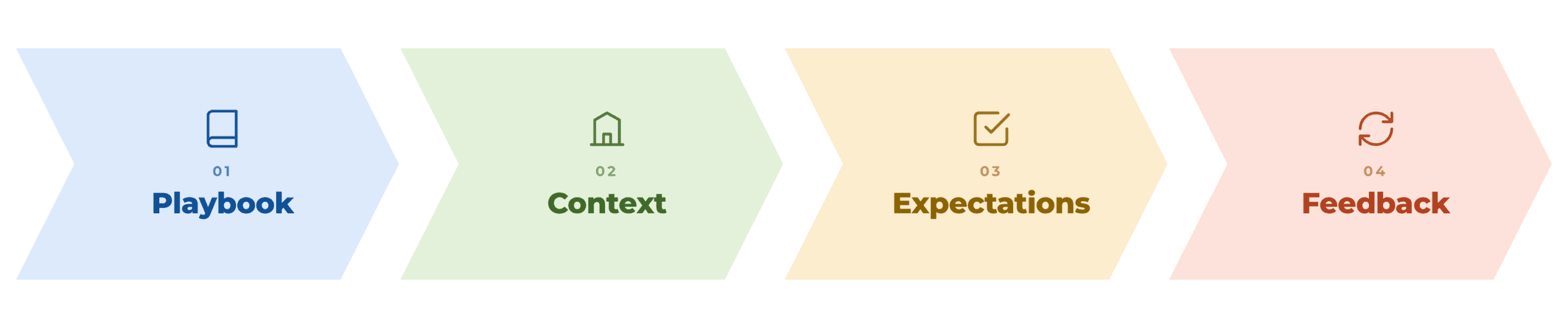
- Show it the playbook. Upload your help articles, standard operating procedures, templates, and reference documents. Tell it to read them before it starts work.
- Tell it about your business. Industry, geography, what makes you different, who your customers are. Context shapes output.
- Set expectations. “Always review with me before sending to a customer.” “Flag anything outside these parameters.” “Match the tone of these three example emails.”
- Give it feedback. When it produces something you’d change, tell it specifically what to change and why. The good tools have memory. They get better.
 Additionally, this is also where voice tooling comes in handy. Tools like Wispr Flow let you talk to your computer instead of typing. Claude and ChatGPT have voice natively now too. Most people can speak two to three times faster than they type, and AI tools are excellent at parsing rambling voice notes into structured instructions. For people who’d rather think out loud than type, it’s a game-changer. Actually talk to your agent.
Step 5: Run agents in parallel as you scale up
The real unlock—and the thing that separates “I use ChatGPT sometimes” from “AI is changing how my business runs”—is running multiple agents in parallel.
In practice, this means you have one agent working on quote drafts in the background while another is rebuilding a form while another is summarising contracts you’ve received this week while another is monitoring your inbox for new enquiries.
You’re not babysitting any of them. Instead, you’re checking in periodically, reviewing outputs, and giving approvals. The cognitive load is closer to managing a small team than doing the work yourself.
Most agentic AI tools—including Claude—have mobile apps. So you can kick off tasks from your laptop in the morning, drive to a site, check progress from your phone, and approve outputs without going back to your desk. Instruction from your mobile, the work is done and waiting for you when you get back to your desk.
This is where the time savings stop being marginal and start being structural.
A reality check on the limits of agentic AI for construction
Two things to keep in mind as you go.
AI doesn’t replace judgement. The decisions that matter—who you hire, which jobs you bid on, how you respond when a project goes sideways—those are still yours. AI gives you better inputs, faster, but the call is still yours to make.
AI doesn’t replace the field. Construction is physical. Someone still has to pour the concrete, run the traffic plan, operate the machine . The AI conversation right now is overwhelmingly about office and admin work. That’s where the value is. Don’t expect AI to swing a hammer any time soon, and don’t let anyone scare your team into thinking otherwise. Robotics is coming, but not quite yet. That’s a whole other post.
Where Assignar fits in agentic AI for construction
We’re not just building software that talks to AI on the side. AI is embedded directly into the Assignar platform, so the agentic workflows your business needs run inside the system, not just alongside it. Form building, bargaining agreement interpretation for payroll dashboard generation, scheduling assistance and more: all in the product ready to leverage the way your business operates, directly with your data.
If you want to see what that looks like in practice, book a demo of Assignar. We’ll show you what’s live today and what’s coming next.
In the meantime: open your AI tool of choice, write that list of manual work, and pick one workflow to start with. That’s how agentic AI for construction actually takes hold in a business. The wins compound faster than you think.
Sean McCreanor is the CEO and co-founder of Assignar, a construction operations and financials platform used by contractors across Australia, New Zealand, and North America.